

Smart School App
An offline learning and school management suite for Primary 1 to Primary 6. Learners get the full curriculum library, practice and past papers. Teachers get lesson plans, timetables, marking and reports. It runs on Windows computers and Android phones with no internet connection.
Version | Windows 10 or 11 and Android 7 or newer
Smart School App
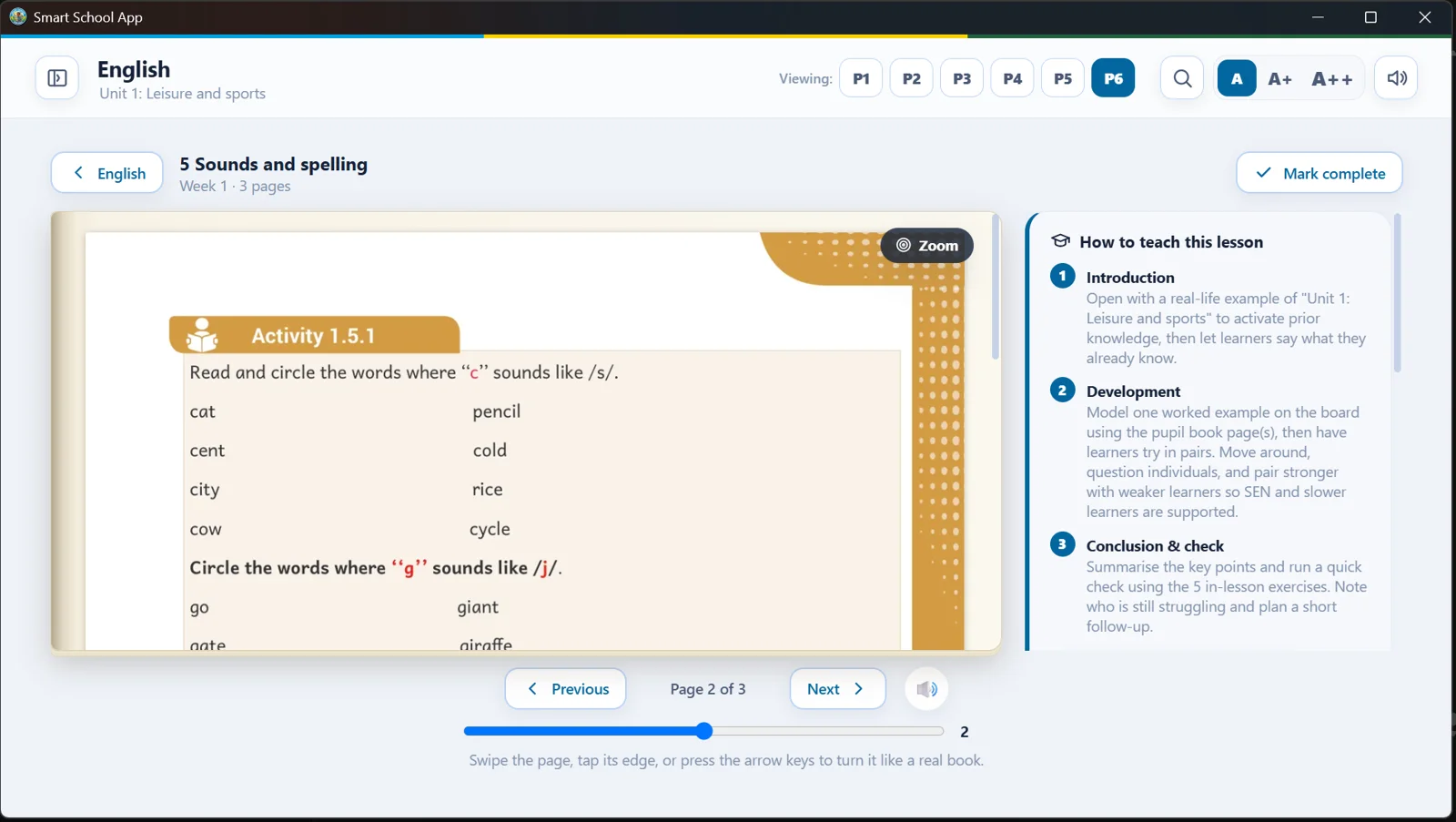
See it on Windows
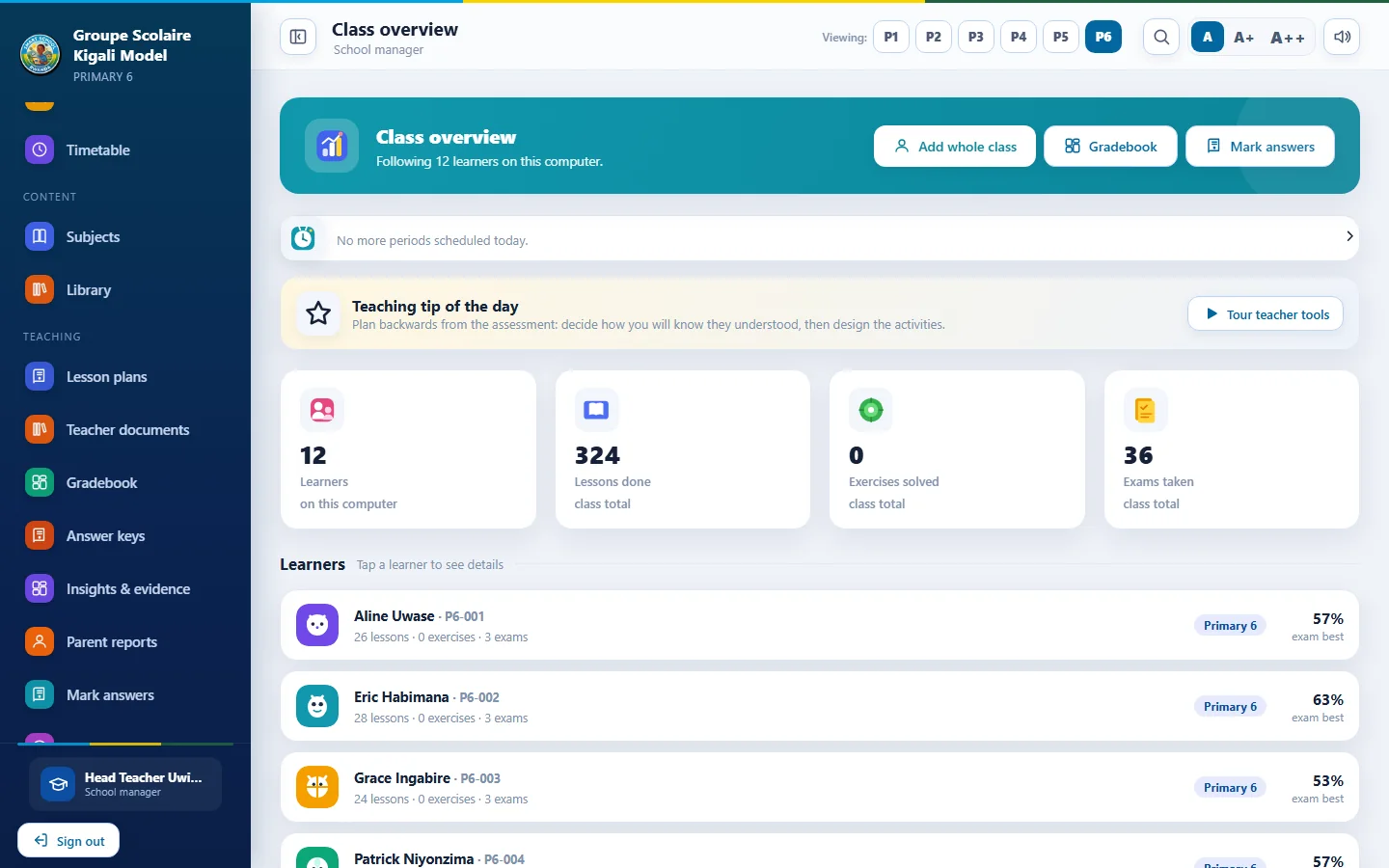
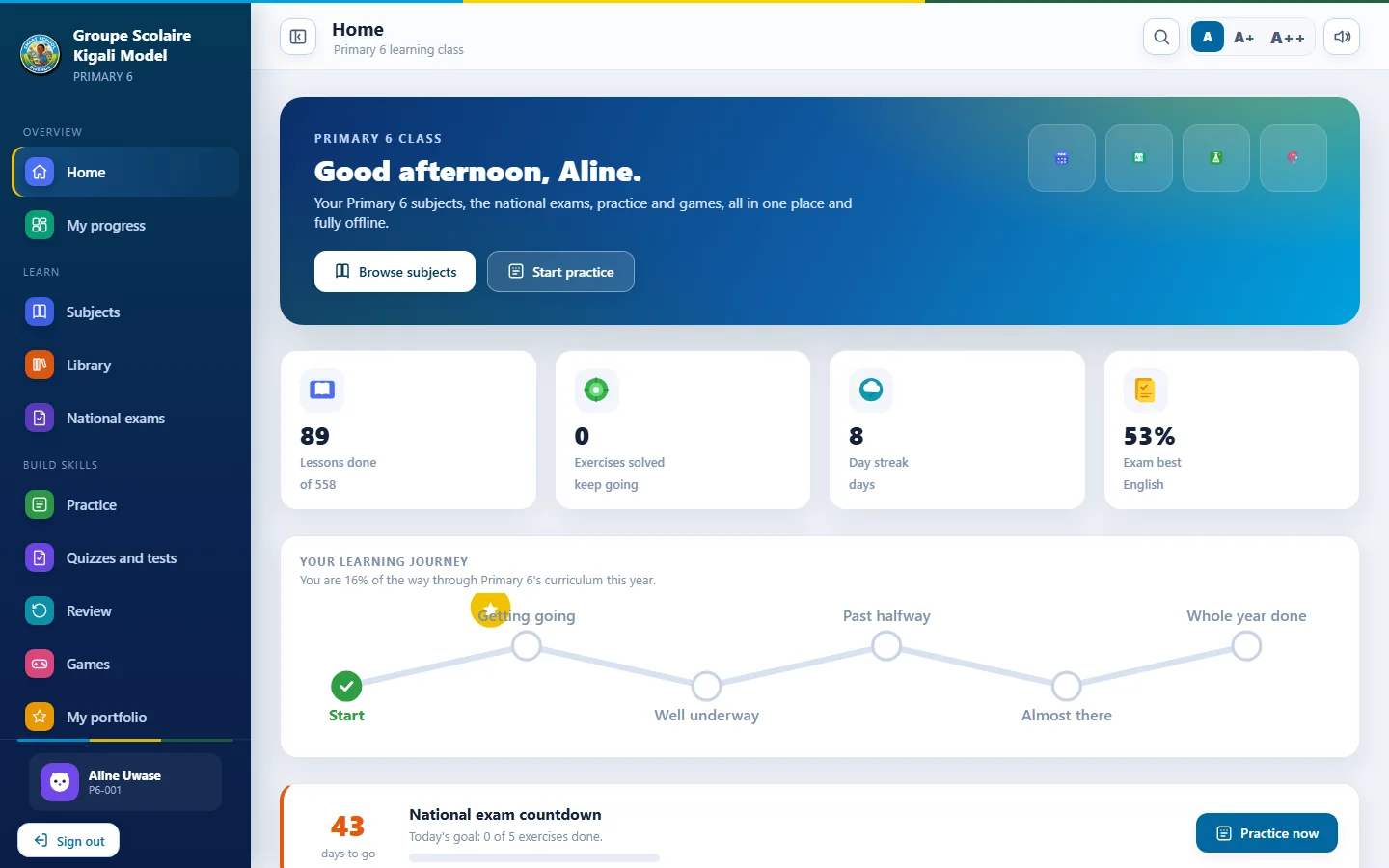
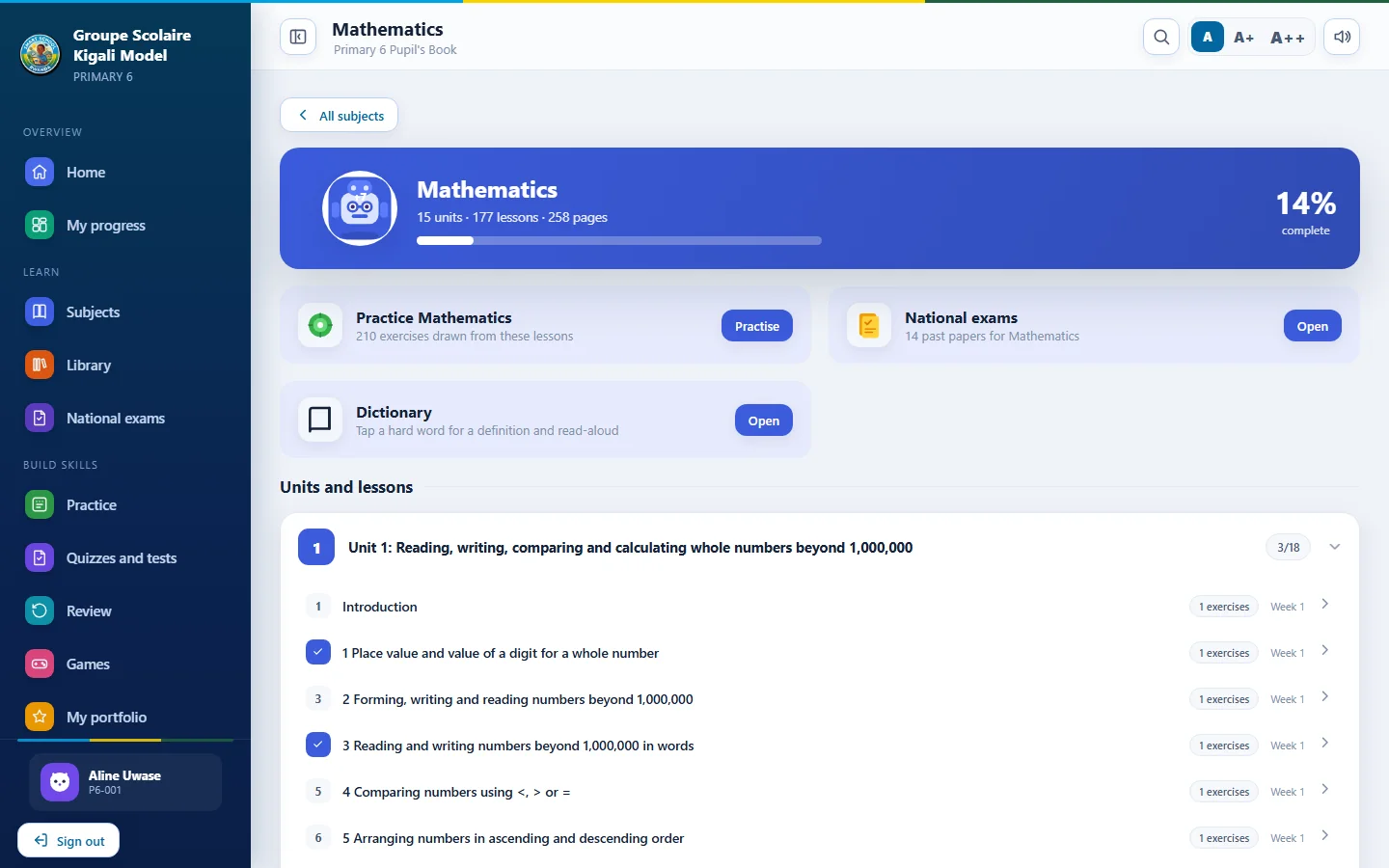
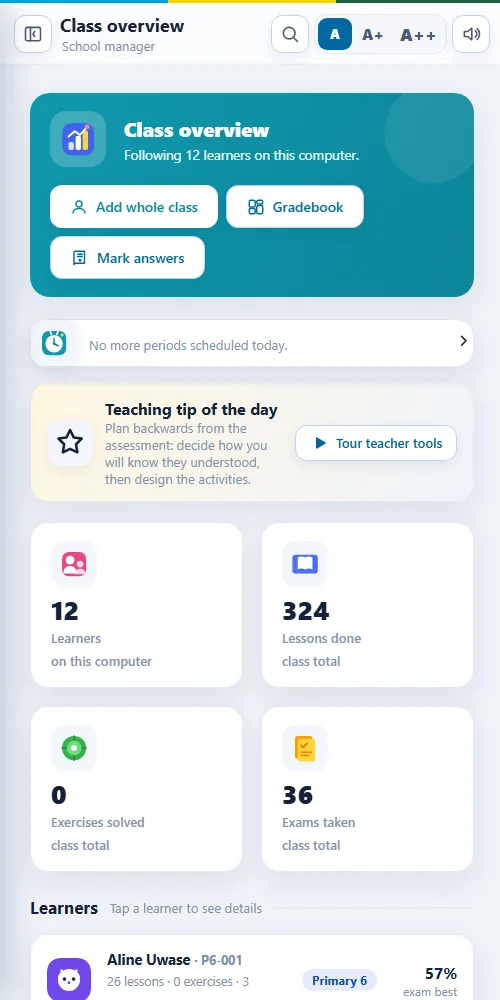
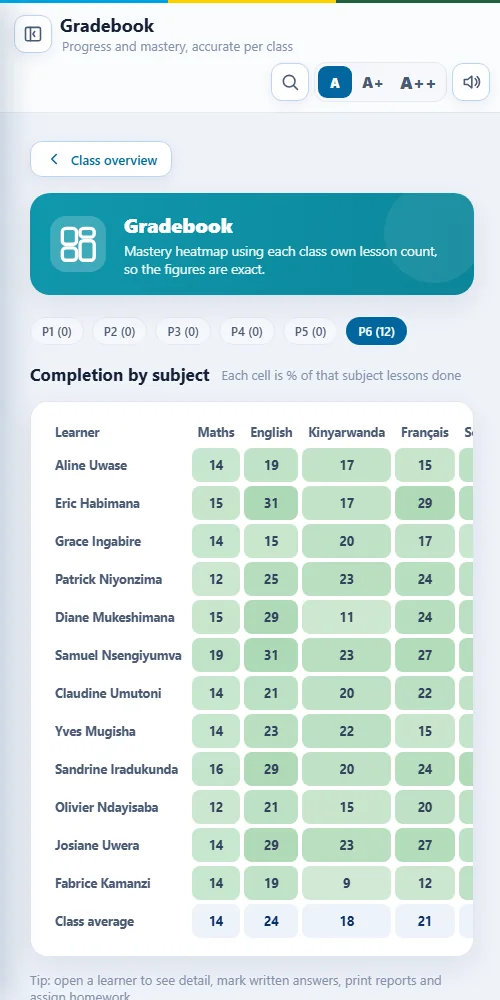
Click any screen to enlarge it. These are real screens from the Windows version.
Smart School App
 Smart School App
 Smart School App
 Smart School App
 Smart School App
 Smart School App
 Smart School App
 Smart School App
 Smart School App
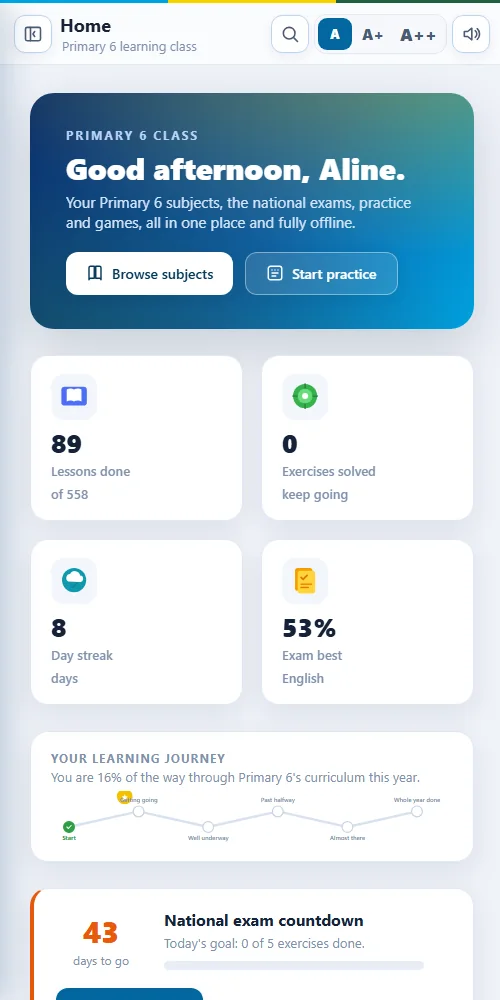
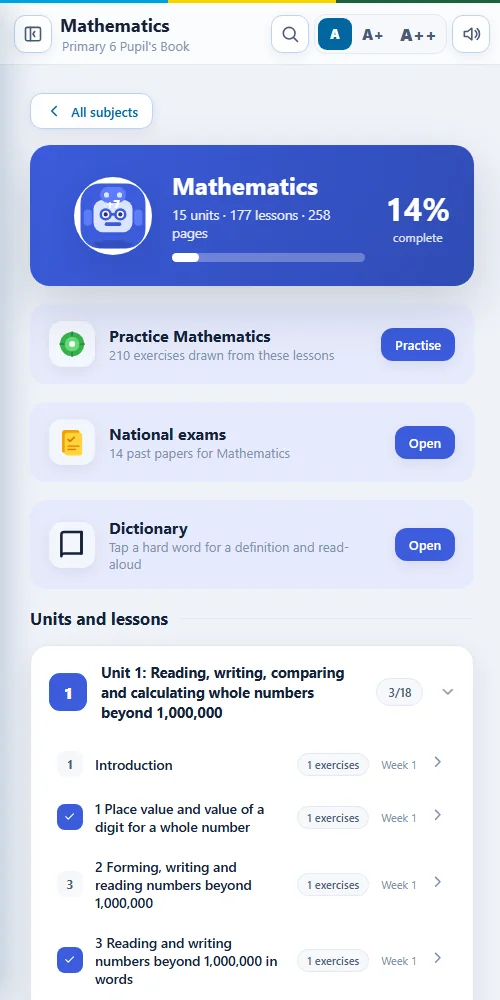
The same app on every phone
Same accounts, same content and the same tools. A learner can continue at home on the family phone.
Built for three kinds of user
Each person signs in to their own profile and sees only the tools that fit their role. Access can be limited by class and subject.
Pupil books
Every class and subject, page by page, with read aloud, zoom and three text sizes.
Practice that adapts
Smart Practice focuses on the topics a learner keeps missing and brings old questions back at the right time.
Quizzes and mock tests
Timed tests, subject quizzes and learning games with instant feedback.
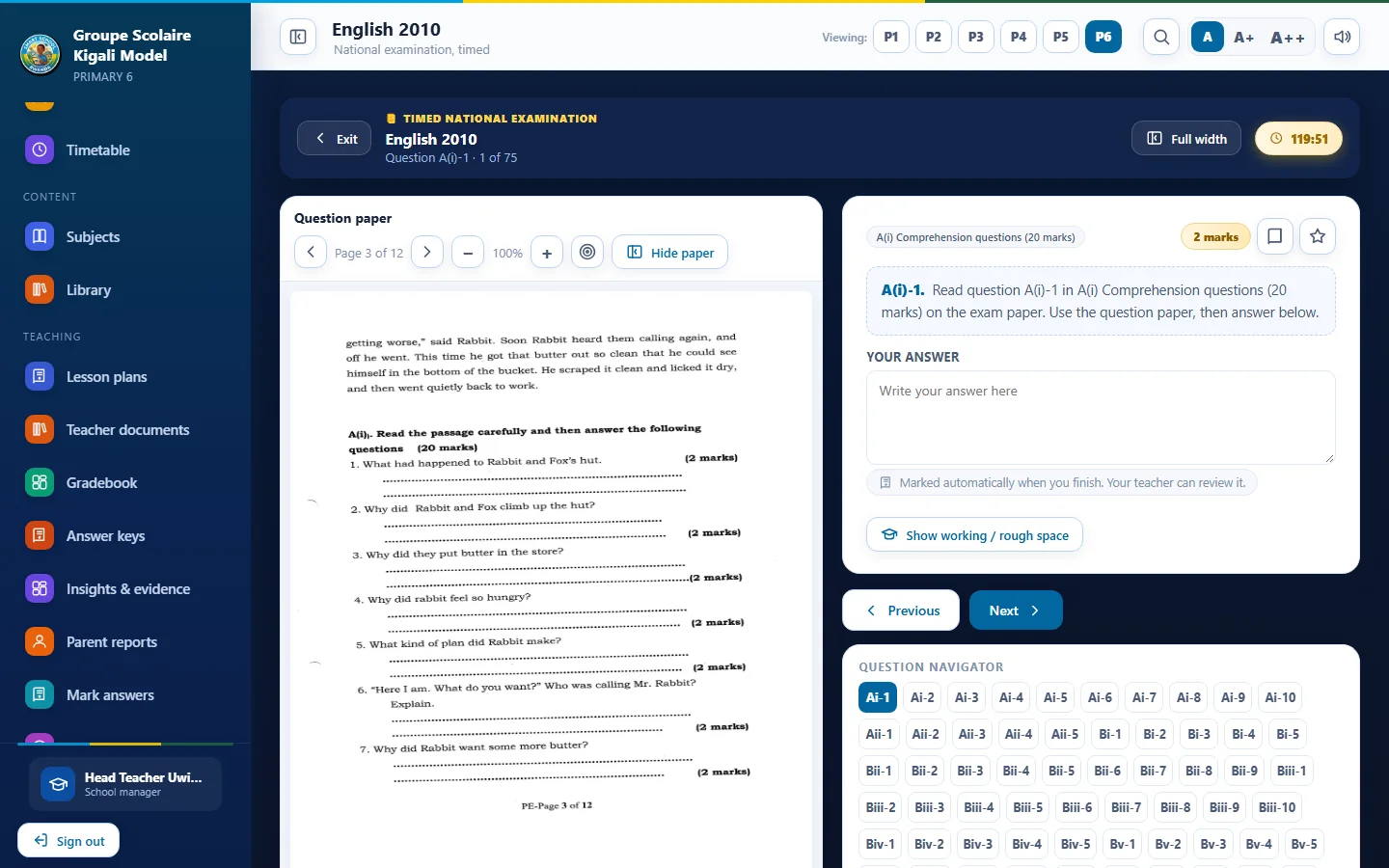
P6 national exam papers
Sixty two past papers from 2010 to 2025 with a timer and a review of every answer.
Made for every learner
Colour themes, larger text, read aloud and keyboard friendly layouts.
Works at home
The same app runs on Android, with the same account and progress.
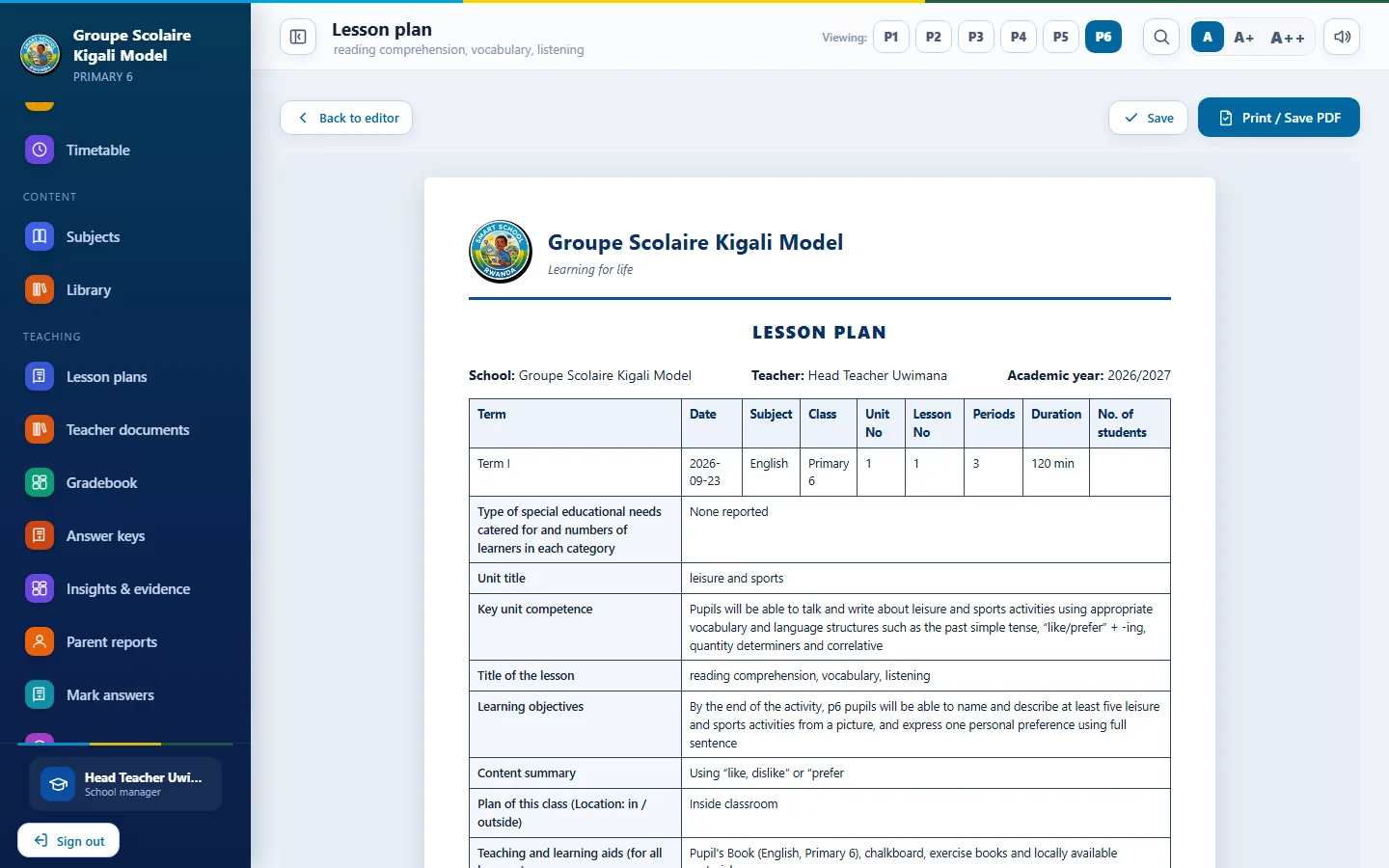
Lesson plan generator
The official REB template from the real scheme of work, in English, French and Kinyarwanda.
Marking queue
Written answers wait for marking with the model answer beside them and optional voice comments.
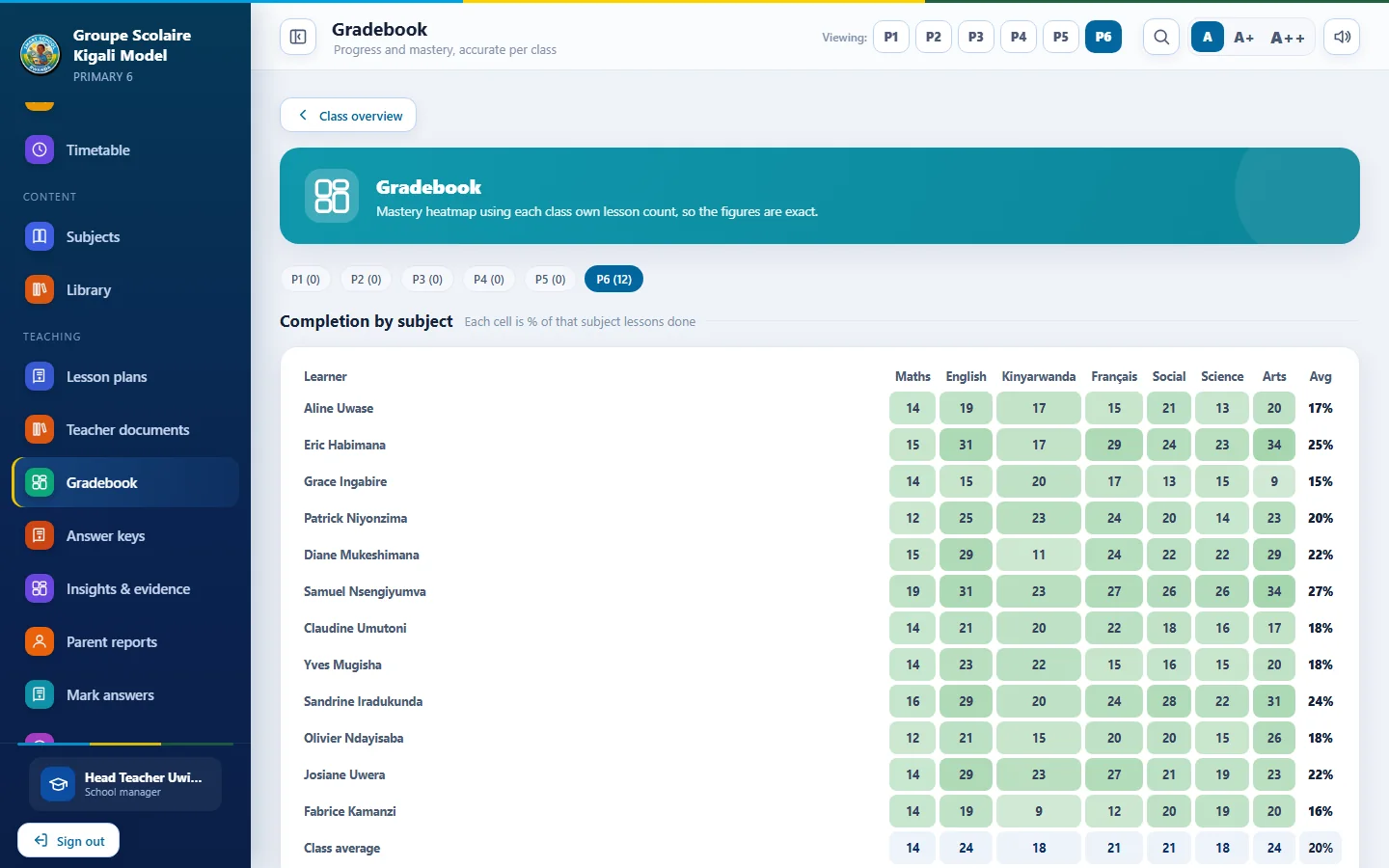
Gradebook and homework
Set homework from any unit or quiz and follow who has finished.
Worksheets and class tests
Print a worksheet for any lesson or build a class test from the question bank.
Learner enrolment
Paste a class list to enrol everyone at once and print login cards.
Pacing calendar
Plan the term against the official calendar and print a substitute packet.
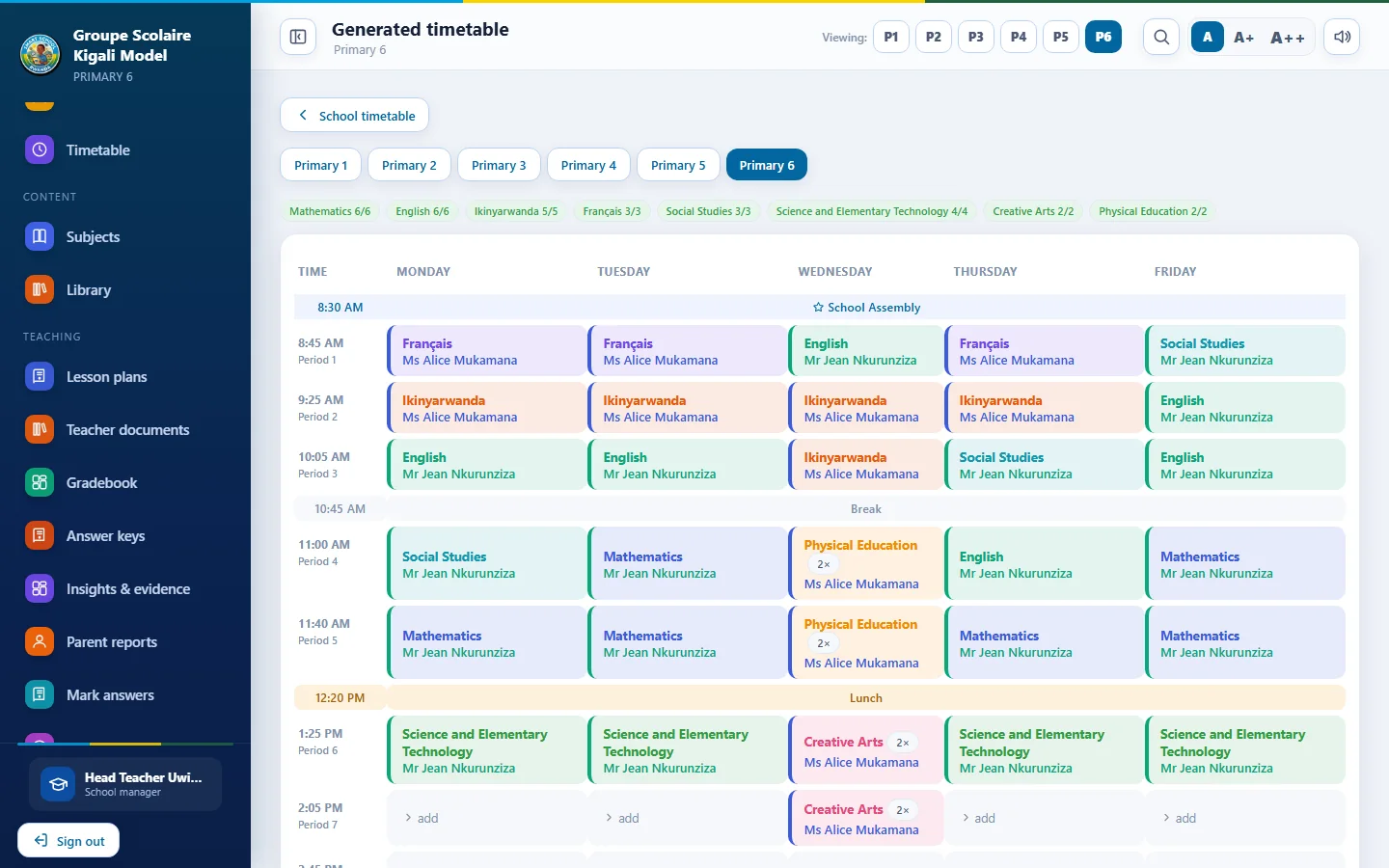
Whole school timetable
A conflict free timetable for all classes. No teacher is in two places at once.
Insights dashboard
Progress, hardest questions and weak topics across the school, with a printable impact report.
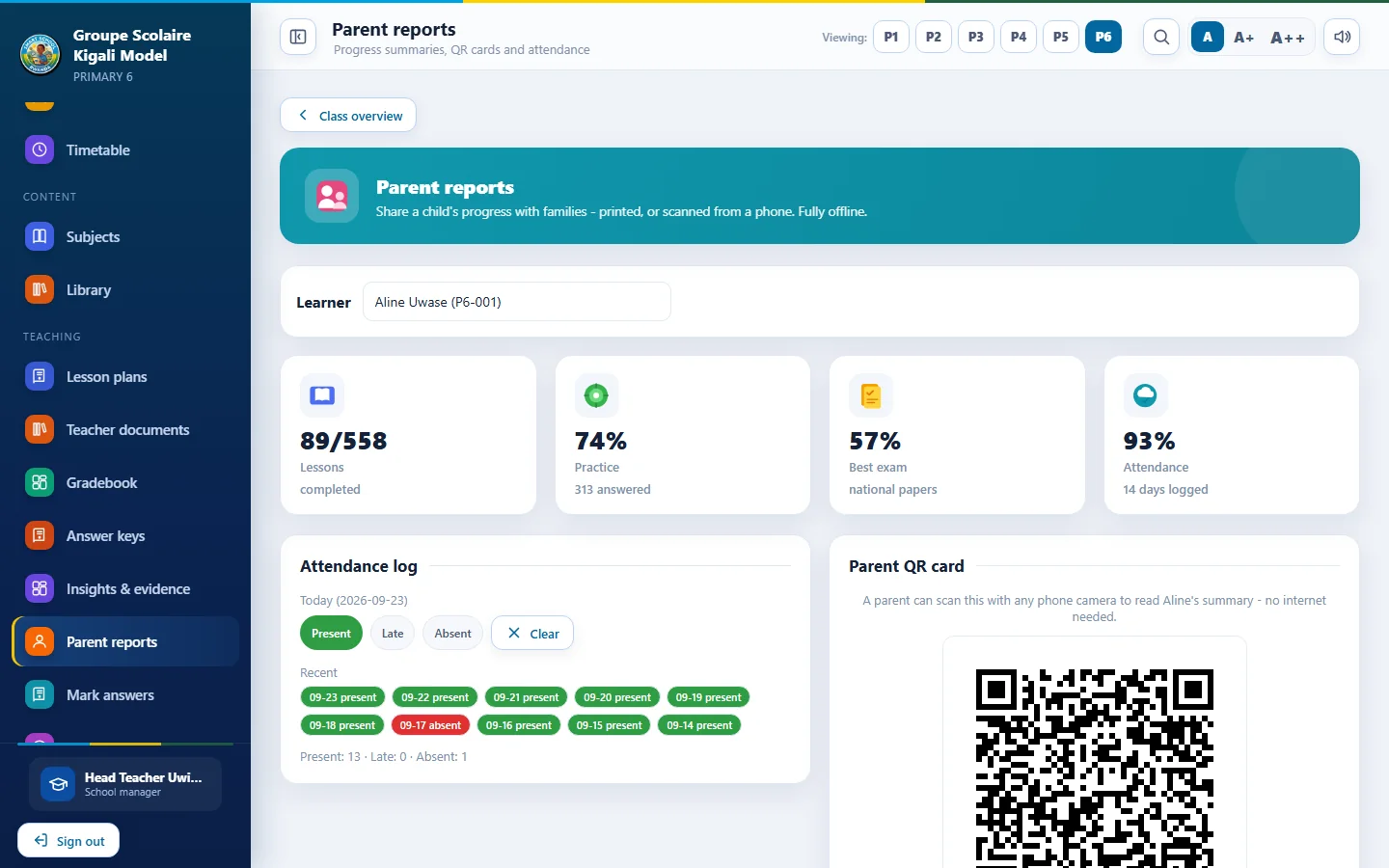
Reports and certificates
Report cards, result slips, certificates and parent reports with QR codes.
Staff roles and access
Four profiles, with each teacher limited to their own classes and subjects.
Backup and recovery
Automatic copies, scheduled USB backups and a status panel for stale backups.
Device sync
Combine records from several devices over school Wi-Fi, or online with Smart School Cloud.
Timetables that respect how a school really runs
The generator places every lesson for every class in one pass, then lets you adjust by hand. Lessons you lock stay in place when you regenerate.
- Teachers are never double booked across classes
- Days off and a daily lesson limit for each teacher
- Morning or afternoon preference for each teacher
- Double periods for PE, Art or science practicals
- Drag and drop editing, undo, print by class or teacher, export to Excel
Smart School App
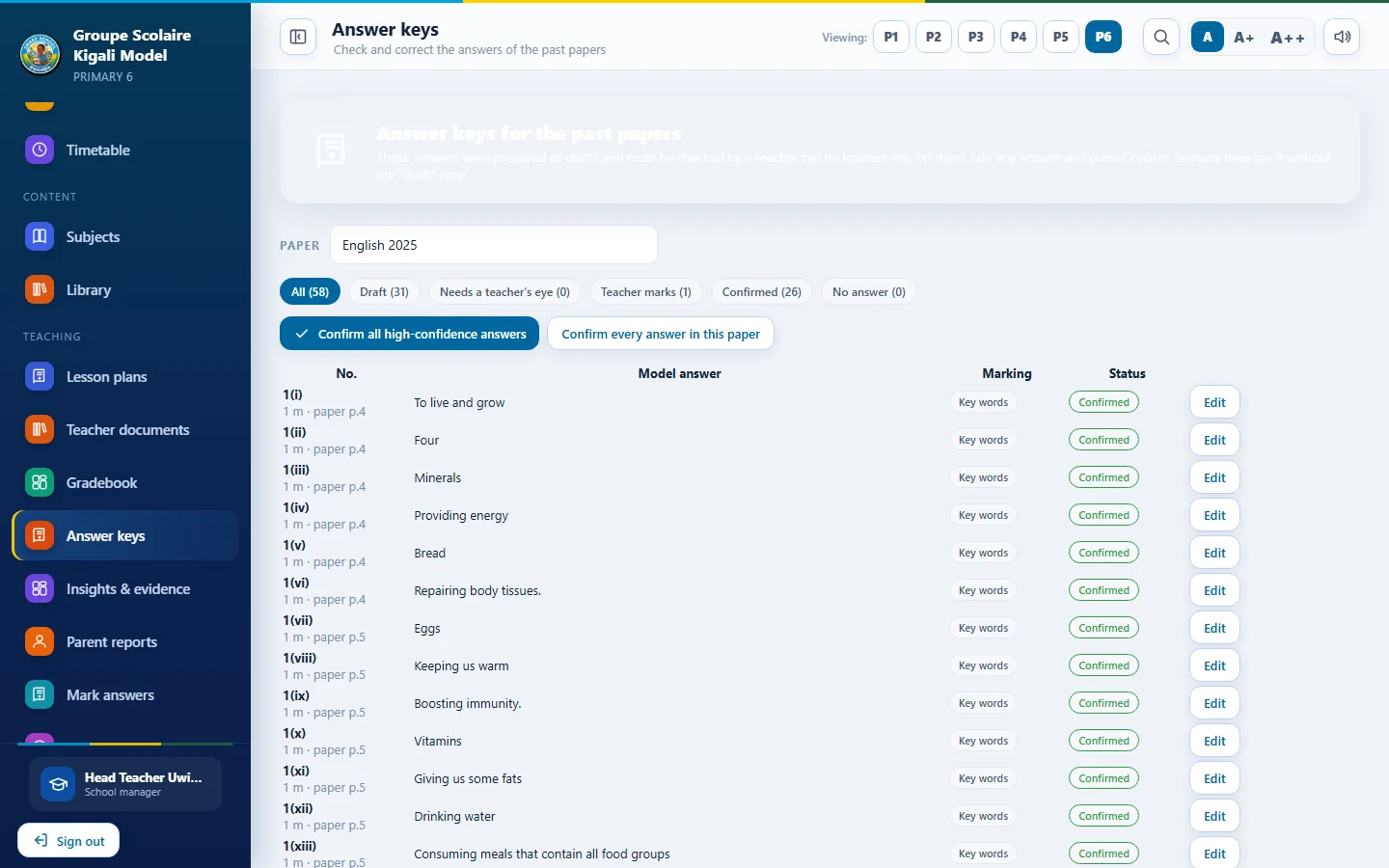
Automatic marking, with teacher control
Written answers on past papers are marked against an answer key. Teachers stay in charge of what the key says.
How it works
Each question has a model answer and a marking style: exact match, key words or teacher only. Learners see their mark, the model answer and half marks where earned.
Answer keys are drafts until confirmed
The answers shipped with the app were prepared as drafts. A teacher reviews each one on the Answer keys screen, edits it if needed and confirms it. Please review keys before relying on them for grades.
Get Smart School App
The full library is bundled inside the app, so files are large (about 2 GB each). Download once, then copy to other devices with a flash drive.
Windows
Windows 10 and 11, 64 bit. Best for the teacher's computer and the school lab.
Download for WindowsAndroid
Android 7.0 or newer. Copy the file to the phone and open it. Allow installs if asked.
Download for Android| Requirement | Windows | Android |
|---|---|---|
| System | Windows 10 or 11, 64 bit | Android 7.0 or newer |
| Free storage | At least 4 GB | At least 4 GB |
| Internet | Not needed after installation | Not needed after installation |
Frequently asked questions
Does it need the internet?
No. After installation everything works offline. The internet is only used for updates or if the school chooses online sync.
Where is learner data stored?
On the school's own devices. Nothing is sent online unless the school turns on Internet sync. Backups can go to a USB drive or folder.
Can several teachers and computers share records?
Yes, on the same Wi-Fi or hotspot, or online through Smart School Cloud. The merge keeps work from every device.
Which classes and subjects are included?
Primary 1 to Primary 6 with Mathematics, English, Kinyarwanda, French, Social Studies, Science and Elementary Technology, and Creative Arts where the curriculum includes them.
Are the exam answers official?
No. The answer keys are prepared drafts. Teachers review and confirm them, and every answer can be edited.
Can you train our teachers?
Yes. Ask about training.